Skip to tool
ecech.
🎥 YouTube Creator Tools

Build a YouTube Description Where the Hook Appears Before the Links and Boilerplate

Assemble a copy-ready description with an opening hook, chapters, links and disclosure while watching the 5,000-character ceiling.

Description status

Characters

Remaining

Structure

Opening-lines preview

Advertisement

How the calculation works

Hook firstLinksChaptersDisclosureOrder the page for the viewer, not for your reusable boilerplateThe complete description must remain within YouTube's 5,000-character field.

How to Use This Tool

A reusable description saves time, but many templates put social links, gear lists and legal text before the reason to watch. Start with one or two lines that finish the promise made by the title and thumbnail. The builder then separates useful links, chapter navigation and disclosure so the result stays readable.

Front-load meaning, not keyword repetition

The opening preview deliberately shows only the first three authored lines. It is not a claim that every YouTube device truncates at exactly three lines; display width and interface experiments vary. It is a discipline check: if the first lines are only URLs and boilerplate, the viewer has not learned what the video delivers.

What the viewer will learnThe one result or resource they need nextLinks, chapters and recurring disclosure continue below
The first visible copy should make sense even before the viewer expands the description.

Keep disclosures literal

The disclosure field is not legal advice. Describe the actual relationship plainly and place required disclosures where viewers can notice them, following the rules that apply to your country, sponsor and platform. A hidden or vague sentence does not become adequate merely because a template generated it.

Sources & assumptions

Tool Spec v2 · verified 2026-08-18. Platform rules and fees can change; the editable inputs remain authoritative for your account.

Official references

Model assumptions

  • The preview shows the first three authored lines, not a device-specific pixel-perfect YouTube truncation.
  • The creator remains responsible for accurate sponsorship, affiliate and other legally required disclosures.
Advertisement

Frequently Asked Questions

What is YouTube's video description limit?
YouTube currently documents a 5,000-character limit for video descriptions. The counter includes line breaks and every section assembled here.
Are only the first three lines visible?
Not as a universal fixed rule. Device width and interface changes affect the fold. The three-line preview is a practical front-loading check, not a pixel-perfect emulator.
Does the builder validate my chapters?
It confirms that a chapter section is present but does not fully validate timing. Use the separate YouTube Chapter Timestamp Validator for the complete rules.
Should links go before the opening hook?
Usually no. Lead with the viewer benefit, then place the most important link. A campaign may justify a different order, but make that an intentional decision.
Can I reuse one description on every video?
Reuse the structure and recurring disclosure, but rewrite the hook and relevant links. Identical boilerplate does not explain the specific video.
Is the affiliate disclosure legally sufficient?
The example is only a placeholder. Use accurate, conspicuous wording that follows the laws, sponsor agreement and platform rules applicable to you.

Related tools in YouTube Creator Tools

Browse all YouTube Creator Tools tools
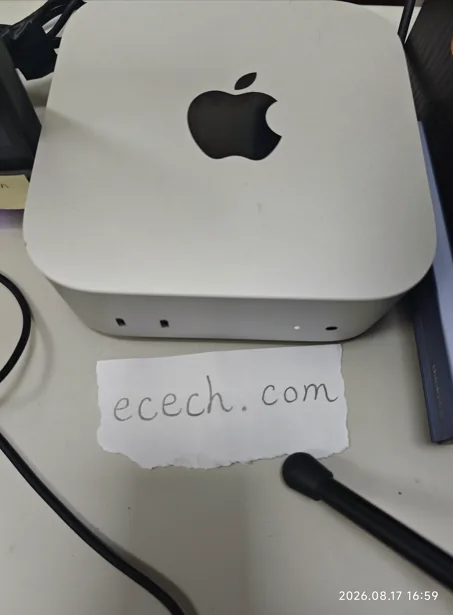
The Mac mini the ecech. site is built on, beside a handwritten note reading ecech.com.

Made by one person

ecech. is not a content farm. Every tool here is written and checked by hand, one at a time, by someone who wanted the tool to exist and could not find a version that showed its working.

No accounts and no sign-in, and nothing you type reaches a server — every calculation on this page runs inside your browser. The ads are served by Google and do set their own cookies, which is set out in full on the privacy page. More about the site.