
Skip to tool
ecech.
🎥 YouTube Creator Tools

Free YouTube Embed Code Generator with Autoplay, Start Time and Loop

Build the iframe with a live preview, get responsive CSS that will not break on mobile, and use the privacy domain that sets no cookies until the visitor presses play.

Live preview

Embed code


Advertisement

How the calculation works

Why YouTube's own copy-paste code breaks on phones Phone, 375px wide overflows → width="560" fixed Same phone, wrapper aspect-ratio: 16/9 The fix, in two lines .yt { aspect-ratio: 16/9;      width: 100%; } .yt iframe { width:100%;      height:100%; border:0; }

How to Use This Tool

The embed code YouTube gives you when you press Share has a fixed width of 560 pixels. On a phone that is wider than the screen, so it either overflows and creates a horizontal scrollbar or gets squashed with the wrong aspect ratio. This generator produces the responsive version instead, along with everything else the share dialog does not offer.

The options that behave unexpectedly

  • Autoplay requires mute. Every current browser blocks autoplay with sound. Ticking autoplay alone produces an embed that silently refuses to start, which looks like a bug and is not. The tool ticks mute for you and explains why.
  • Loop requires a playlist parameter. On its own loop=1 does nothing for a single video. It only works when playlist is set to the same video ID — an undocumented quirk that the generator handles automatically.
  • Related videos cannot be removed. Since 2018 rel=0 no longer hides them; it only restricts suggestions to the same channel. Any tool promising to remove them entirely is describing behaviour that stopped existing years ago.
Three parameters that do nothing on their own autoplay=1 blocked, silently + mute=1 → plays loop=1 no effect at all + playlist=ID → loops rel=0 same channel only cannot be removed since 2018 The generator adds the companions for you, so the embed does what the checkbox says.
These three are the most common support questions about YouTube embeds, and all three are the same mistake: setting a parameter that needs a partner.

The privacy domain

With privacy domain ticked the embed points at youtube-nocookie.com. That version sets no tracking cookies until the visitor actually presses play. It matters for two reasons: under GDPR a standard embed is a third-party tracker that legally needs consent before it loads, and a normal embed drops several cookies on page load whether or not anyone watches. The video plays identically. There is very little reason not to use it.

Start and end times

Enter times as seconds or m:ss. Note that embeds use start and end in whole seconds, not the t parameter that watch links use — pasting a t=90s value into an embed URL does nothing at all, which is a quietly frustrating hour to lose. The generator converts between them.

Copy the CSS too

Leave the wrapper CSS included unless your site already has an aspect-ratio helper. It is four lines and it is the entire difference between an embed that works on a phone and one that does not. If you are using Tailwind, the equivalent is aspect-video w-full on the wrapper.
Advertisement

Frequently Asked Questions

Why does my autoplay embed not play?
Because the browser blocked it. Chrome, Safari and Firefox all refuse to autoplay video with sound unless the user has interacted with the page. Adding mute=1 alongside autoplay=1 makes it work. This generator ticks mute automatically when you choose autoplay and tells you why.
How do I make a YouTube embed loop?
loop=1 alone does nothing for a single video. It only takes effect when the playlist parameter is set to the same video ID, which is an undocumented quirk of the embed player. The generator adds both together, so ticking Loop produces an embed that actually loops.
Can I remove related videos at the end?
Not since 2018. rel=0 used to hide them; now it only restricts the suggestions to videos from the same channel. Any tool or article claiming to remove them entirely is describing behaviour YouTube withdrew. Limiting them to your own channel is the best available option.
What is youtube-nocookie.com and should I use it?
It is YouTube's privacy-enhanced embed domain. It sets no tracking cookies until the visitor presses play, which matters for GDPR compliance and reduces the third-party cookies dropped on page load. The video plays identically. There is little reason not to use it, so it is ticked by default here.
Why does my embed break on mobile?
Because YouTube's own share code sets a fixed width of 560 pixels, which is wider than a phone screen. The fix is a wrapper with aspect-ratio and a full-width iframe, which is included in the generated code. Without it you get either horizontal scrolling or a squashed video.
Does the start time parameter work the same as in a normal link?
No, and this catches people out. Watch links use t, which accepts formats like 1m30s. Embeds use start, which accepts whole seconds only. Copying a t value into an embed URL silently does nothing. This tool converts between the two.
Do embedded views count for the creator?
Yes. Views through an embedded player count toward the video's public view count and toward watch time, provided the viewer watches long enough. Embedding someone's video is genuinely helpful to them, which is worth remembering before ripping and rehosting instead.

Related tools in YouTube Creator Tools

Browse all YouTube Creator Tools tools
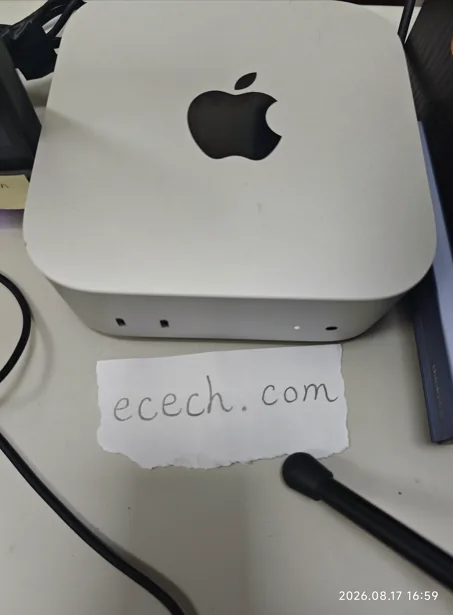
The Mac mini the ecech. site is built on, beside a handwritten note reading ecech.com.

Made by one person

ecech. is not a content farm. Every tool here is written and checked by hand, one at a time, by someone who wanted the tool to exist and could not find a version that showed its working.

No accounts and no sign-in, and nothing you type reaches a server — every calculation on this page runs inside your browser. The ads are served by Google and do set their own cookies, which is set out in full on the privacy page. More about the site.