Skip to tool
ecech.
📏 Productivity & Units

How Many Photos Fit, With RAW Sized From Arithmetic and JPEG From a Range

A 24 MP RAW is about the same size every time. A JPEG of a grey sky and of foliage can differ threefold from the same camera, so one number would be a guess.

RAW file size

consistent shot to shot

RAW shots

JPEG size

depends on the scene

JPEG shots

By format

Burst shooting

Advertisement

How the calculation works

Same 24 MP camera, same settings, three subjects overcast sky about 4 MB portrait, soft background about 8 MB foliage, fine detail about 12 MB RAW, any of them about 27 MB JPEG varies threefold with the subject. RAW barely moves, which is why only RAW can be predicted.

How to Use This Tool

Enter your camera's megapixels and card size. RAW is calculated; JPEG is given as a range, because a single number there would be dishonest.

Why RAW can be calculated and JPEG cannot

A RAW file is close to the sensor's raw output: one value per photosite at the sensor's bit depth. So 24 million pixels at 14 bits is about 42 MB uncompressed, and that is the same whatever you point it at. Lossless compression brings it down — typically to around 60–70% — but the variation stays small.

JPEG discards information based on what the eye notices, and how much it can discard depends entirely on the scene. Smooth gradients compress enormously; fine random detail barely compresses at all. The same camera can produce a 4 MB file of an overcast sky and a 12 MB file of a hedge. Any tool giving you one JPEG number has picked a scene on your behalf without saying so.

What actually changes RAW size

  • Megapixels — linear. Double the pixels, double the file.
  • Bit depth — 12-bit is a fifth smaller than 14-bit and holds less shadow information. Many cameras drop to 12-bit automatically in fast burst modes, which is worth knowing before it happens.
  • Compression setting — lossless compressed is the usual sensible default. Lossy compressed RAW saves a lot more and discards data you may want when recovering highlights.
  • Not the ISO or the subject, much. High ISO adds noise, which is random detail and compresses badly, so files grow a little — but nothing like the JPEG variation.
A 64 GB card does not hold 64 GiB printed on the card 64,000,000,000 bytes what the camera shows about 59.6 GiB the same bytes, counted in 1024s after formatting about 59.4 GiB filesystem overhead, small The counts here use the real byte figure, not the number on the label.
Most of the apparent shortfall is a unit difference, not lost space.

How many cards to take

A rule that survives contact with reality: work out the count, then halve it for planning. People shoot far more than they expect when something is actually happening, bursts fill space in seconds, and discovering a full card mid-event costs more than a spare card does.

Two cards of half the size also beat one large one, for a reason that has nothing to do with capacity: a card failure loses everything on it, and splitting the shoot across two halves the worst case.

RAW plus JPEG

Shooting both writes two files per shot, so capacity is roughly RAW size plus JPEG size — often around 1.3 times RAW alone. It is worth it when you need something to send immediately and want the RAW for later. It is not worth it if the JPEGs will be deleted unlooked-at, which is what usually happens.
Advertisement

Frequently Asked Questions

How many photos fit on a 64GB card?
For a 24 MP camera, roughly 2,200 lossless-compressed RAW files, or somewhere between 5,000 and 15,000 JPEGs depending on the subject. The RAW figure is reliable; the JPEG range is wide because JPEG size depends on how much detail is in the scene, not just on the sensor.
Why do my JPEG files vary so much in size?
Because JPEG compresses by discarding detail the eye is unlikely to notice, and how much it can discard depends on the scene. A smooth overcast sky compresses enormously; foliage or fine texture barely compresses at all. The same camera can produce a 4 MB file and a 12 MB file minutes apart.
How big is a RAW file?
Close to megapixels times bit depth divided by eight, so 24 MP at 14 bits is about 42 MB uncompressed and roughly 27 MB with lossless compression. Unlike JPEG it barely varies with the subject, because a RAW file is essentially the sensor's output rather than a compressed interpretation of it.
Does shooting at higher ISO make files bigger?
Slightly, for RAW. High ISO adds noise, which is random detail that compresses badly, so files grow a little. The effect is small compared with the difference between subjects in JPEG, and it is not a reason to plan storage differently.
Should I use 12-bit or 14-bit RAW?
14-bit holds more shadow information and is worth it for anything you will edit heavily. 12-bit is about a fifth smaller and is what many cameras switch to automatically in fast burst modes — which is worth knowing in advance rather than discovering in the files.
Is it better to have one large card or several small ones?
Several smaller ones, for reliability rather than capacity. A card failure loses everything on it, so splitting a shoot across two cards halves the worst case. Changing cards is a minor inconvenience against losing an entire day's work.
Why does my card show less space than it says on the label?
Because it is advertised in decimal gigabytes and displayed in 1024-based units, so a 64 GB card shows about 59.6 GB. Almost all of the apparent shortfall is that unit difference; filesystem overhead accounts for a small fraction of a percent on top.

Related tools in Productivity & Units

Browse all Productivity & Units tools
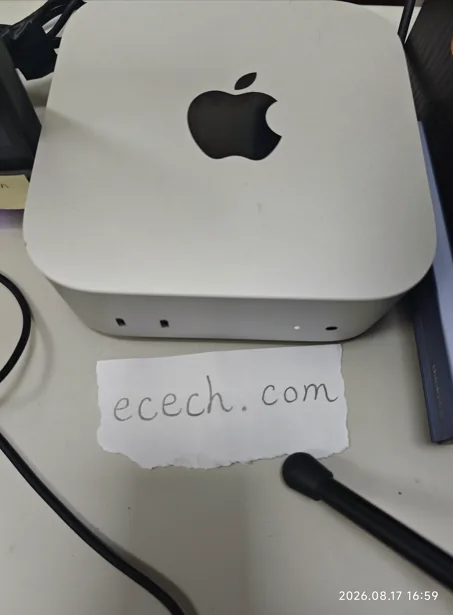
The Mac mini the ecech. site is built on, beside a handwritten note reading ecech.com.

Made by one person

ecech. is not a content farm. Every tool here is written and checked by hand, one at a time, by someone who wanted the tool to exist and could not find a version that showed its working.

No accounts and no sign-in, and nothing you type reaches a server — every calculation on this page runs inside your browser. The ads are served by Google and do set their own cookies, which is set out in full on the privacy page. More about the site.