
Skip to tool
ecech.
💻 Developer & Code

URL Encoder That Shows You Which of the Two Functions You Needed

encodeURI leaves :/?&= alone; encodeURIComponent escapes them. One is for a whole URL, the other for a value inside it, and swapping them breaks different things.

encodeURI — for a whole URL


leaves : / ? & = # + alone so the URL still works

encodeURIComponent — for a value inside a URL


escapes everything that has meaning in a URL

Decoded


URL parts

Advertisement

How the calculation works

What happens when a value contains an ampersand you want to search for tom & jerry not encoded ?q=tom & jerry server reads q="tom " and a stray "jerry" component encoded ?q=tom%20%26%20jerry server reads q="tom & jerry" The ampersand is a separator until you tell the URL it is data.

How to Use This Tool

Type anything and see both encodings at once. The right one depends on whether you are encoding a whole URL or a value that will sit inside one.

Which function to use

  • encodeURI — for a complete URL. It deliberately leaves : / ? & = # + untouched, because those characters are the URL's structure. Encoding them would destroy it.
  • encodeURIComponent — for a single value going into a query parameter, a path segment or a fragment. It escapes those same characters, because inside a value they are data rather than syntax.

The failure modes are different, which is why the mistake survives. Use encodeURI on a value and it works until the value contains an &, at which point the server sees an extra parameter. Use encodeURIComponent on a whole URL and it breaks immediately — https%3A%2F%2F is not a URL anyone can route.

The plus sign problem

A space is %20 in a URL path. In application/x-www-form-urlencoded data — what an HTML form submits, and what many query strings use — a space is + instead.

So a+b means "a plus b" in a path and "a space b" in form data, and there is nothing in the string to say which. Decode with the wrong assumption and plus signs vanish into spaces, or spaces appear where a literal plus was meant. The checkbox above lets you decode either way; if you are handling a query string from a form, tick it.

Double encoding, and how to spot it hello world hello%20world hello%20world hello%2520world A %25 in a URL almost always means something encoded twice. The user sees "hello%20world" as literal text instead of a space.
%25 is the percent sign itself, so seeing it usually means one encode too many.

Double encoding

Encoding an already encoded string escapes the percent signs, so %20 becomes %2520. The visible symptom is a page title or a search box showing literal %20 where a space should be.

It usually happens when a value is encoded at one layer and encoded again by a framework that assumed it was raw. This page flags %25 in your input, since that is the reliable fingerprint.

What each character costs

Non-ASCII text is encoded as UTF-8 bytes, so one Chinese character becomes three escape sequences and nine characters — is %E6%BC%A2. That is worth knowing when a URL is approaching a length limit, or when a query string with a lot of non-English text looks unexpectedly enormous.

Prefer the URL API where you can

In modern JavaScript, URLSearchParams handles encoding for you and gets the rules right, including the plus sign convention:

  • new URL(...) parses and normalises a URL properly.
  • params.set('q', 'tom & jerry') encodes the value correctly without you choosing a function.

Hand-building query strings with string concatenation is where these bugs come from. Use it for debugging, not for production code.
Advertisement

Frequently Asked Questions

What is the difference between encodeURI and encodeURIComponent?
encodeURI is for a whole URL and deliberately leaves : / ? & = # alone, because those characters are the URL's structure. encodeURIComponent is for a single value going inside a URL and escapes them, because there they are data. Using the wrong one either breaks the URL or lets a value containing an ampersand split into an extra parameter.
Should a space be %20 or +?
%20 in a URL path, and + in application/x-www-form-urlencoded data, which is what HTML forms submit. Both are correct in their own context and neither is correct in the other, so decoding with the wrong assumption turns plus signs into spaces or the reverse.
Why does my URL contain %2520?
It was encoded twice. %25 is the escape for the percent sign itself, so a %20 that gets encoded again becomes %2520. The visible symptom is literal %20 appearing where a space should be. It usually happens when a value is encoded manually and then again by a framework that assumed it was raw.
Why does my Chinese or emoji text become so long when encoded?
Because non-ASCII characters are encoded as UTF-8 bytes and each byte becomes a three-character escape. A single Chinese character like 漢 becomes %E6%BC%A2, so nine characters for one. That matters when a URL is approaching a length limit.
Which characters actually need encoding in a URL?
Anything with structural meaning where you mean it as data: & ? = # / : and space. Also anything outside the unreserved set of letters, digits and - . _ ~. Some characters like ! * ' ( ) are technically reserved but left alone by encodeURIComponent, which occasionally matters for strict servers.
Should I build query strings by hand?
Better not to. URLSearchParams encodes values correctly without you choosing between the two functions, and new URL() parses and normalises properly. Hand-concatenating query strings is where most encoding bugs originate — use a tool like this for debugging rather than as a substitute.

Related tools in Developer & Code

Browse all Developer & Code tools
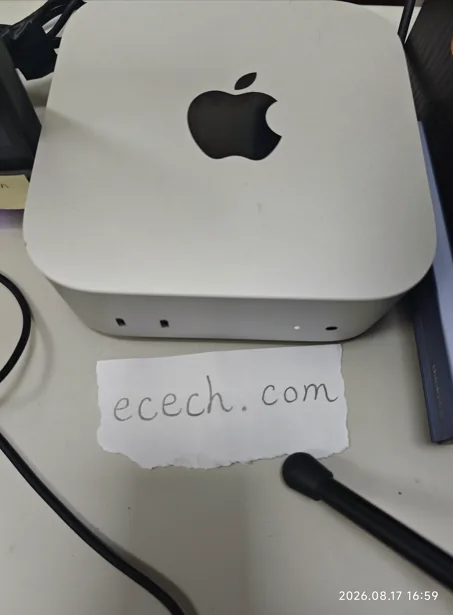
The Mac mini the ecech. site is built on, beside a handwritten note reading ecech.com.

Made by one person

ecech. is not a content farm. Every tool here is written and checked by hand, one at a time, by someone who wanted the tool to exist and could not find a version that showed its working.

No accounts and no sign-in, and nothing you type reaches a server — every calculation on this page runs inside your browser. The ads are served by Google and do set their own cookies, which is set out in full on the privacy page. More about the site.