ECECH
ECECH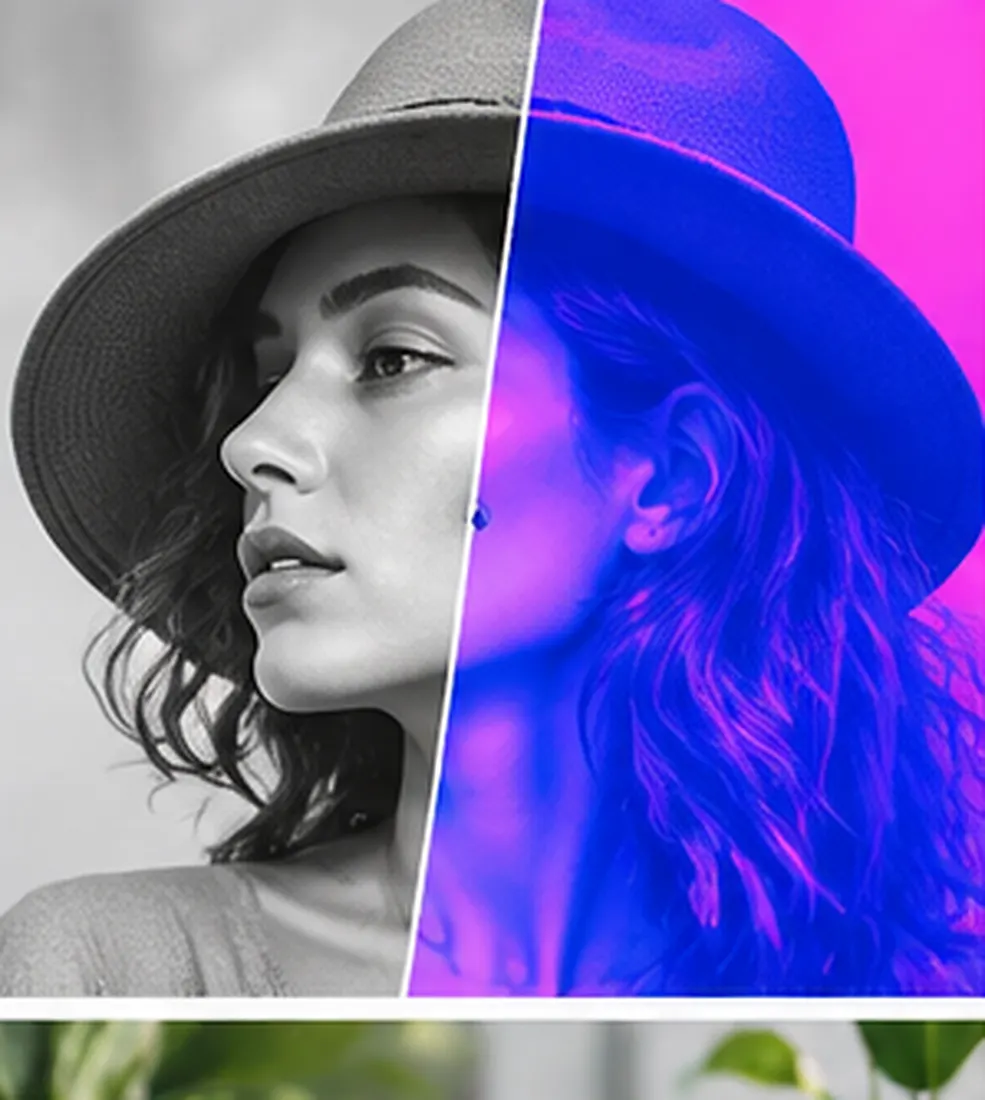
How to Use This Tool
Transform luminance into a two-color gradient entirely in the browser. Apply a two-color duotone map to a local PNG, JPEG or WebP, preview the real pixels, validate color inputs, and download the result privately.
The work this page finishes
A CSS filter cannot reliably produce an exact two-endpoint raster asset, while uploading brand imagery to an unknown service may be unacceptable. For Duotone Image Maker, keeping source order beside the computed artifact lets a user repair only the failed entries and reproduce the same batch later.
Deterministic workflow
Compute sRGB luminance as 0.2126R + 0.7152G + 0.0722B for every decoded pixel, then linearly interpolate each output channel between the entered shadow and highlight colors. For Duotone Image Maker, a run is capped at 5,000 items and 2 MB, preventing an accidental oversized paste while preserving successful rows when another row fails.
Why a dedicated interface helps
Use the preview to tune endpoints, then download a new PNG; compare brand colors in the final publishing color workflow rather than trusting one display. For Duotone Image Maker, a purpose-built form exposes every assumption and returns the same ordered structure on every run, which is more practical than reconciling shifting conversational output.
Assumptions
- The source image can be decoded by the browser.
- Alpha is preserved.
- The entered endpoints use six-digit CSS hexadecimal syntax.
For Duotone Image Maker, keep an untouched copy for comparison after import; the browser performs the work locally, but local software and extensions are not controlled by this page.
Limitations and review boundary
The browser canvas operates on decoded sRGB-like pixels and discards source metadata; the export is PNG and is not a color-managed print proof. For Duotone Image Maker, the implementation neither follows user-entered links nor evaluates their contents, and it displays material as plain text rather than active HTML.
Verification and provenance
Fixtures derived from the displayed rule and MDN — Canvas API were reviewed on 2026-08-26; they include normal, empty or invalid, and partial-failure behavior. A black pixel maps to the shadow endpoint, a white pixel maps to the highlight endpoint and intermediate luminance blends deterministically.
Sources & assumptions
Tool Spec v2 · verified 2026-08-26. Platform rules and fees can change; the editable inputs remain authoritative for your account.
Official references
- MDN — Canvas API (checked 2026-08-26)
Model assumptions
- The source image can be decoded by the browser.
- Alpha is preserved.
- The entered endpoints use six-digit CSS hexadecimal syntax.
- The browser canvas operates on decoded sRGB-like pixels and discards source metadata; the export is PNG and is not a color-managed print proof.