Skip to tool
ecech.
✏️ Text & SEO Content

Find and Replace Where $1 in the Replacement Does Not Mean a Dollar Sign

Replacement strings have their own syntax, and .* grabs more than you meant. See every match highlighted before anything changes.

Matches highlighted

Result


Replacement syntax

Advertisement

How the calculation works

<.*> and <.*?> on the same text greedy — <.*> <a>text<b> one match, the whole line lazy — <.*?> <a>text<b> two matches, each tag A question mark after the quantifier is the whole difference.

How to Use This Tool

Type a search and a replacement. Every match is highlighted before anything changes, and nothing is altered until you press the replace button.

The replacement string is not literal text

This is the first thing that surprises people. In a replacement, the dollar sign is special:

  • $1, $2 — the first, second captured group
  • $& — the entire match
  • $` and $' — everything before and after the match
  • $$ — a literal dollar sign

So replacing something with $1.00 inserts capture group one followed by ".00", not a price. Write $$1.00 when you mean a dollar. This tool flags a lone dollar sign in your replacement, because it is the single most common cause of "the tool ate my text".

Greedy and lazy

Quantifiers like * and + take as much as they can and then give back only if forced. So <.*> on <a>text<b> matches the whole line: it goes to the end looking for >, finds the last one, and stops.

Adding a question mark makes the quantifier lazy: <.*?> takes as little as possible and matches each tag separately. The difference is one character and it changes the result completely, which is why so much regex debugging ends here.

The pieces you actually need \d \w \s a digit, a word character, whitespace + * ? one or more, zero or more, optional ( ) capture, so you can reuse it as $1 ^ $ start and end — of the text, or of each line with the flag on Escape a special character with a backslash: \. matches a literal full stop.
Most practical find-and-replace uses nothing beyond these.

The flags

  • Ignore case — straightforward, and worth remembering that it applies to the search, not the replacement. Replacing "colour" with "color" case-insensitively will lowercase your capitals unless you capture and reuse them.
  • ^ and $ per line — without this, ^ means the start of the whole text. With it, the start of each line. This is the flag people want when adding a prefix to every line.
  • . matches new lines — by default the dot matches anything except a line break, which is a historical decision that catches people out when matching across lines.

Two habits worth having

Look at the preview first. The highlighted matches are the part that tells you whether your pattern means what you think. A pattern that matches too much is far more common than one that matches nothing, and only one of those is obvious.

Do not parse HTML with regex. It works on the example you tested and fails on nested tags, attributes containing angle brackets, and comments. For a one-off cleanup on text you control it is fine; for anything that has to keep working, use a parser.
Advertisement

Frequently Asked Questions

Why did $1 appear instead of a dollar sign in my replacement?
Because the dollar sign is special in a replacement string — $1 means the first captured group. To insert a literal dollar sign, write $$. Replacing something with "$1.00" inserts group one followed by .00, which is the most common cause of a replacement looking like it ate your text.
What is the difference between .* and .*?
Greedy versus lazy. .* takes as much as it can, so <.*> matches from the first opening bracket to the last closing one — the whole line. .*? takes as little as possible and matches each tag separately. One character, completely different result.
How do I use capture groups in a replacement?
Wrap the part you want to keep in parentheses in the search, then reference it as $1, $2 and so on in the replacement. Searching for (\d{4})-(\d{2})-(\d{2}) and replacing with $3/$2/$1 turns an ISO date into a day-first one.
Why doesn't ^ match the start of each line?
Because by default it means the start of the whole text. Turn on the multiline flag and it matches the start of every line instead. This is the flag you want when adding a prefix to each line or matching line-leading whitespace.
Why doesn't . match my line breaks?
Because the dot excludes line breaks by default — a historical decision that predates most people using regex on multi-line text. The dotall flag makes it match everything including newlines, which is what you want when capturing across lines.
Can I use this to strip HTML tags?
For a one-off cleanup of text you control, yes, and <[^>]*> is the usual pattern. For anything that must keep working, no — regex cannot handle nested tags, attributes containing angle brackets, or comments correctly. Use a parser for that.
Is my text sent anywhere?
No. Everything runs in your browser and nothing is transmitted.

Related tools in Text & SEO Content

Browse all Text & SEO Content tools
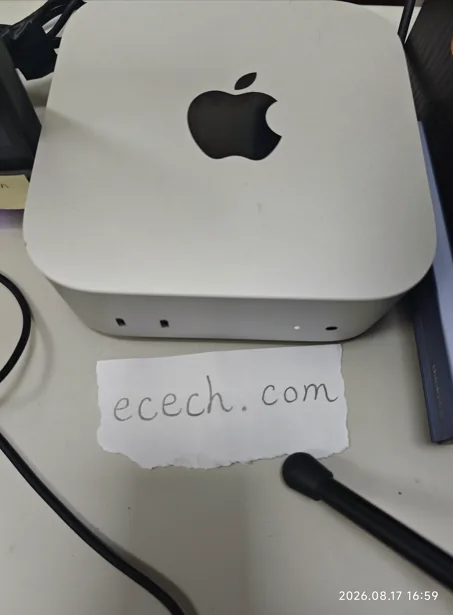
The Mac mini the ecech. site is built on, beside a handwritten note reading ecech.com.

Made by one person

ecech. is not a content farm. Every tool here is written and checked by hand, one at a time, by someone who wanted the tool to exist and could not find a version that showed its working.

No accounts and no sign-in, and nothing you type reaches a server — every calculation on this page runs inside your browser. The ads are served by Google and do set their own cookies, which is set out in full on the privacy page. More about the site.