Skip to tool
ecech.
🌐 Network & IP

Free CIDR to Subnet Mask and Wildcard Mask Converter with Host Counts

Every prefix from /0 to /32 with its netmask, wildcard, host count and binary. Handles /31 and /32, which the usual formula gets wrong.

/

Bit by bit

Copy a value

Every prefix

CIDR Subnet mask Wildcard Addresses Usable hosts
Advertisement

How the calculation works

A prefix is just a count of leading 1 bits 26 network bits — set to 1 6 host bits Subnet mask 255.255.255.192 the 1 bits, written as decimal octets Wildcard mask 0.0.0.63 every bit flipped — 255 minus each octet Addresses 2⁶ = 64 of which 62 are usable hosts The two missing addresses are the network address (all host bits 0) and the broadcast address (all host bits 1). That subtraction stops applying at /31 and /32, which is where most quick calculators produce nonsense.

How to Use This Tool

A CIDR prefix is nothing more than a count of leading 1 bits in a 32-bit mask. Everything else — the subnet mask, the wildcard, the host count — falls out of that single number, which is why this page needs only one input.

Netmask and wildcard

The subnet mask writes those 1 bits as four decimal octets. A /26 is twenty-six 1s followed by six 0s, which is 255.255.255.192.

The wildcard mask is the same thing inverted: every bit flipped, or equivalently 255 minus each octet. For /26 that is 0.0.0.63. Cisco ACLs and OSPF network statements want the wildcard, not the netmask, and quietly matching the wrong range is one of the most common configuration errors in networking. A 1 in a wildcard means “ignore this bit”.

Host counts, and where the formula breaks

A prefix of length n leaves 32 − n host bits, giving 232−n addresses. Two of them are normally unusable: the all-zeros host portion is the network address, and the all-ones portion is the broadcast address. So usable hosts = 232−n − 2.

That subtraction fails at the two smallest prefixes, and this is where quick mental arithmetic and many online calculators go wrong.

The last three prefixes, where 2ⁿ − 2 stops being true. /30 4 addresses 2 usable 4 − 2. The formula works. Classic point-to-point link. /31 2 addresses 2 usable Formula says 0. RFC 3021 says both are hosts on a link. /32 1 address 1 host Formula says −1. It is a single host route or loopback.
A /31 has no room for a network and broadcast address, so RFC 3021 defines both addresses as usable on point-to-point links. A /32 is one specific address.

Prefixes worth memorising

  • /24 — 256 addresses, 254 hosts, mask 255.255.255.0. The default mental unit.
  • /30 — 4 addresses, 2 hosts. The traditional point-to-point link.
  • /31 — 2 addresses, both usable. The modern point-to-point link; halves the waste.
  • /32 — one address. Host routes, loopbacks and firewall rules for a single machine.
  • /16 and /8 — 65,536 and 16,777,216 addresses, the old class B and class A boundaries.

A note on the wildcard

The reason ACLs use wildcards rather than netmasks is historical, but the practical consequence is real: a wildcard need not be contiguous. 0.0.0.255 matches a whole /24, while 0.0.0.1 matches only every other address. The values on this page are the contiguous ones that correspond to real prefixes; anything else is legal in an ACL and will not be a valid subnet mask.
Advertisement

Frequently Asked Questions

What is the subnet mask for /24?
255.255.255.0. The prefix means twenty-four leading 1 bits, which fills the first three octets completely and leaves the fourth at zero. It gives 256 addresses, of which 254 are usable hosts.
What is a wildcard mask and how does it differ from a subnet mask?
A wildcard mask is the bitwise inverse of a subnet mask: every 1 becomes a 0 and vice versa, so 255.255.255.0 becomes 0.0.0.255. In a wildcard, a 1 means 'ignore this bit when matching'. Cisco access lists and OSPF network statements expect wildcards, and supplying a subnet mask instead silently matches the wrong range of addresses.
How many hosts are in a /26?
62. A /26 leaves six host bits, giving 64 addresses, and two of those are reserved — the all-zeros network address and the all-ones broadcast address. The subnet mask is 255.255.255.192 and the wildcard is 0.0.0.63.
Why does a /31 have two usable hosts instead of zero?
Because RFC 3021 defines it that way for point-to-point links. A /31 contains only two addresses, so the usual reservation of a network and a broadcast address would leave nothing at all. On a link between exactly two routers there is no need to broadcast, so both addresses are assigned as hosts. Most modern equipment supports this, and it halves the address waste compared with using a /30.
What does /32 mean?
A single specific address. All thirty-two bits are network bits, so the mask is 255.255.255.255 and there is no host portion. It is used for loopback interfaces, host routes, and firewall or ACL rules that should match exactly one machine.
How do I work out the mask in my head?
Only the octet the prefix lands in matters — everything before it is 255, everything after is 0. Within that octet, the values step 128, 192, 224, 240, 248, 252, 254, 255 as you add bits. So /26 is two bits into the fourth octet, giving 192, and /20 is four bits into the third, giving 240.
Can a wildcard mask be non-contiguous?
Yes, and that is precisely why access lists use them. A wildcard of 0.0.0.1 matches every other address, which no subnet mask can express. Every wildcard shown on this page is the contiguous inverse of a real prefix, but an ACL will happily accept patterns that do not correspond to any subnet.

Related tools in Network & IP

Browse all Network & IP tools
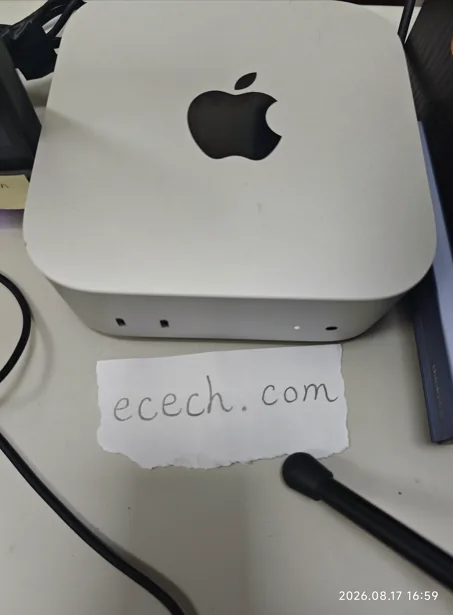
The Mac mini the ecech. site is built on, beside a handwritten note reading ecech.com.

Made by one person

ecech. is not a content farm. Every tool here is written and checked by hand, one at a time, by someone who wanted the tool to exist and could not find a version that showed its working.

No accounts and no sign-in, and nothing you type reaches a server — every calculation on this page runs inside your browser. The ads are served by Google and do set their own cookies, which is set out in full on the privacy page. More about the site.